#1. RISC vs CISC Benchmarking
This project compares the performance of the Raspberry Pi 4 (RISC) and Raspberry Pi 5 (CISC), both with 4GB RAM, in running computer vision algorithms, specifically face detection using OpenCV in Python. We test both devices with the same webcam, capturing faces from multiple angles, and analyze processing time, FPS, CPU clock speed, and CPU temperature. The results show that while both Pis perform well, the Raspberry Pi 5 outperforms the Pi 4 by a decent margin, particularly when detecting multiple faces at once.
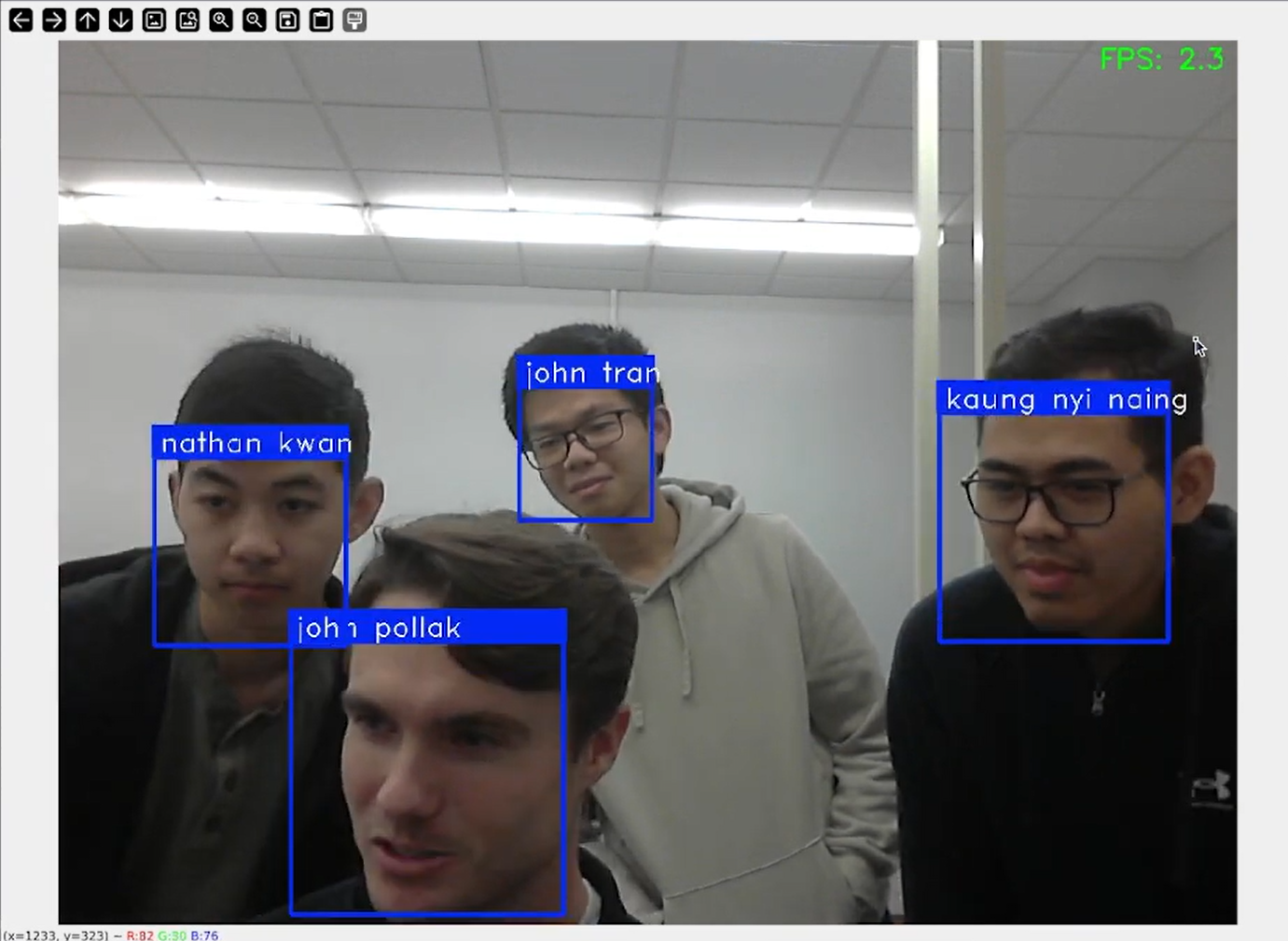
Computer vision tasks are being used more often on affordable embedded systems. The Raspberry Pi is popular because it’s inexpensive and versatile. The new Raspberry Pi 5 offers better CPU and GPU performance compared to the Raspberry Pi 4. This project compares the 4GB versions of both models for real-time object detection using OpenCV. We analyze performance metrics such as frame rate (FPS), CPU clock speed, CPU temperature, and Geekbench scores to see if the Raspberry Pi 5’s slightly newer hardware and its CISC architecture make a noticeable difference for computer vision tasks. Our goal is to determine whether the Raspberry Pi 5’s higher cost is worth it for these applications, or if the Raspberry Pi 4 is a more cost-effective choice since both models have a similar amount of RAM and offer similar hardware.
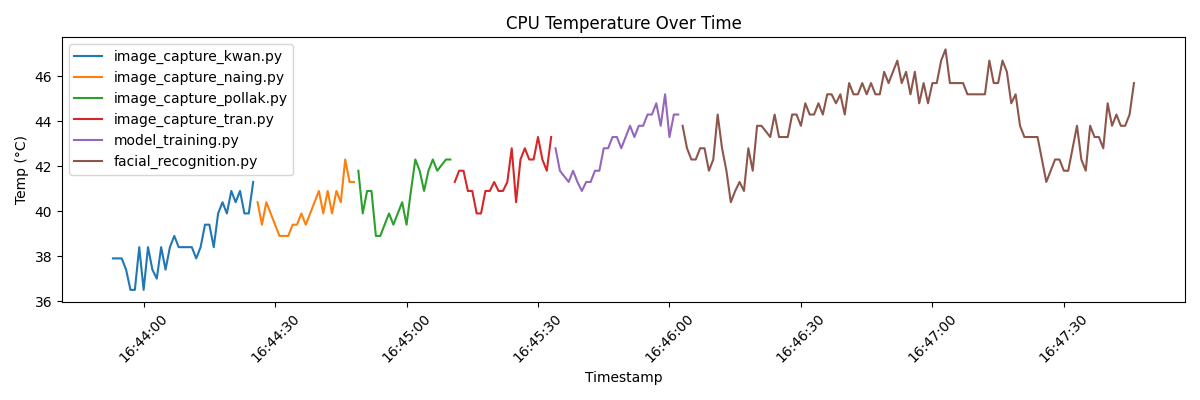
CPU Temperature Plot for Pi 4
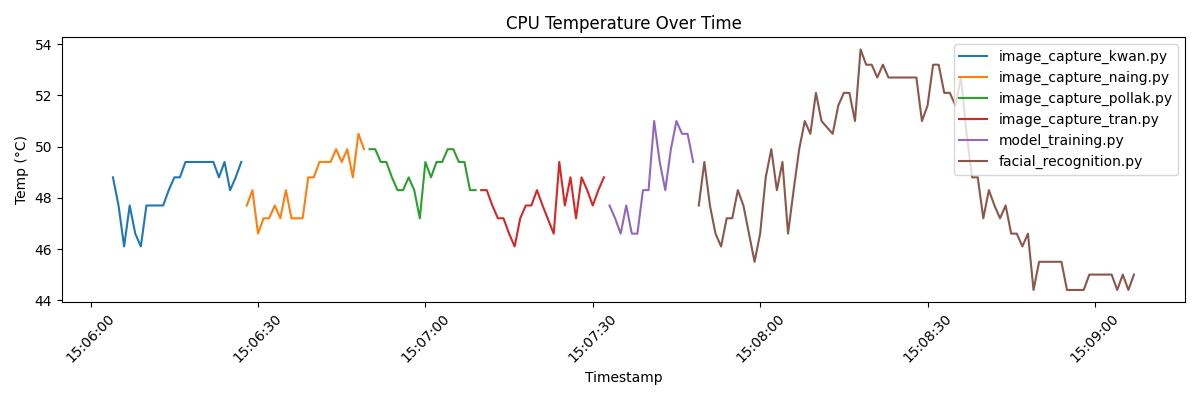
CPU Temperature Plot for Pi 5
We used the same webcam to capture images of each team member’s face, taking ten photos from three different angles: front, left, and right. These images were used to train and test the face detection algorithm. A Python script implementing OpenCV was developed to detect faces in real-time, drawing bounding boxes around each detected face and labeling them with the corresponding person’s name. The setup was tested on both the Raspberry Pi 4 and Raspberry Pi 5. We used Geekbench to benchmark the devices, focusing on metrics such as frames per second (FPS), CPU usage, memory consumption, and detection accuracy. Testing conditions, including lighting, camera module, and object distance, were kept consistent to minimize external variables.
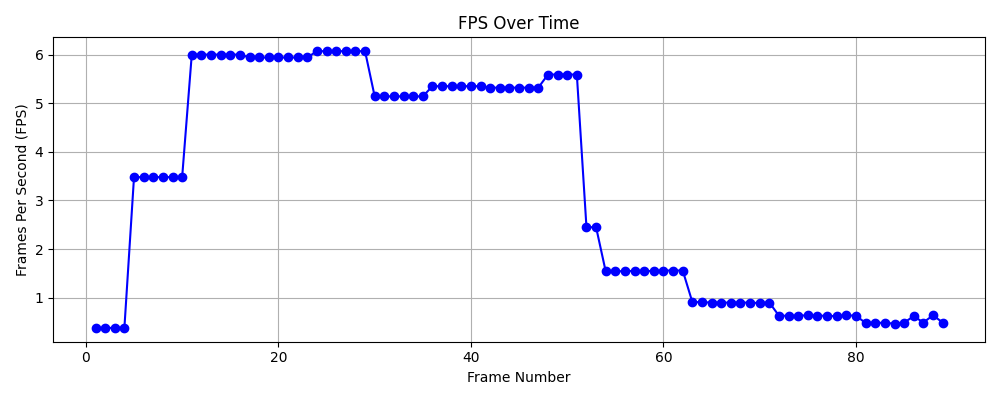
FPS Plot for Pi 4
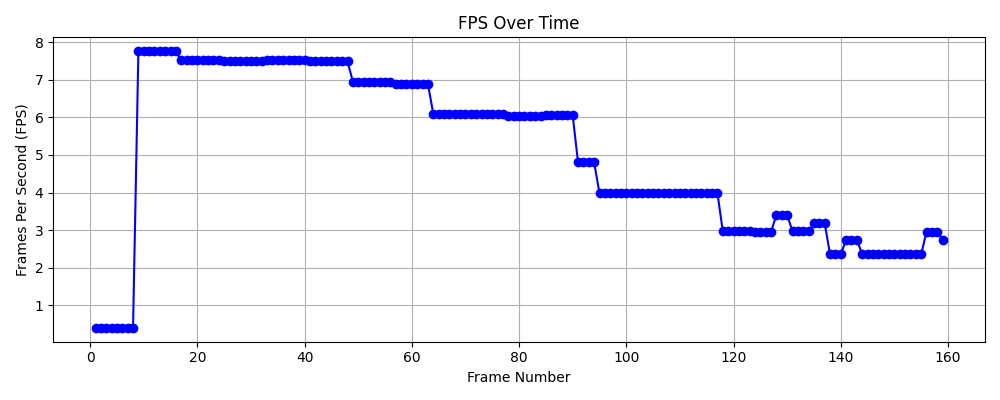
FPS Plot for Pi 5
Both the Raspberry Pi 4 and Raspberry Pi 5 are capable of running computer vision tasks like face detection, the Raspberry Pi 5 offers better performance, especially for more demanding tasks. The improved hardware of the Pi 5 leads to faster frame rates and better efficiency when detecting multiple faces. If the goal is to run more complex or real-time computer vision tasks, the Raspberry Pi 5 is a more suitable choice. However, if the tasks are simpler or budget is a concern, the Raspberry Pi 4 still offers good performance at a lower cost.